
Quick overview
This article summarizes the Philips monitor configurations from the supplied catalog lines and helps you choose the right model for office, multimedia, education or light gaming use. It focuses on the technical points listed in the source (panel type, resolution, ports, refresh and contrast/brightness figures) and explains what each item means for everyday use.
Specifications at a glance (from the provided source)
The source lists two main configuration groups. Below are the key attributes exactly as given, grouped for clarity.
| Feature group | Details (as in source) |
|---|---|
| IPS / FHD models (consumer / gaming oriented) | Diagonal options mentioned in the source; IPS FHD 1920×1080; 2×HDMI; sRGB; Mega Infinity DCR (dynamic contrast); Gaming mode SmartImage; VESA 100×100; alternate listing shows 1×HDMI + 1×VGA; Speakers 2×2W; Tilt -5° / +20°; Color: Black. |
| Business / high-performance models | Two business variants are listed: a high-refresh model (120Hz, 4 ms, 350 cd/m², 1500:1 contrast, 1×HDMI + 1×DP + 1×USB‑C, speakers 2×2W), and a 4K UHD model (3840×2160, 60Hz, 4 ms, 350 cd/m², 1000:1 contrast, HDR10). |
What the main specs mean for buyers
Panel type: IPS
IPS panels deliver wide viewing angles and generally better color reproduction compared with older TN panels. That makes them a good fit for typical office work, content review, classroom screens and general multimedia.
Resolution: FHD vs 4K
- FHD (1920×1080) — clear for standard office tasks, presentations and desktop work, plus lower GPU requirements for gaming.
- 4K UHD (3840×2160) — much higher pixel density useful for detailed spreadsheets, photo/video preview and multitasking windows. The source lists a 4K model with HDR10 at 60Hz.
Refresh rate and response time
The high-refresh business variant (120Hz, 4 ms) from the source provides smoother motion and reduced blur versus 60Hz panels; useful for motion-heavy content, web-based interactive demos and some gaming scenarios. The 4K model is listed at 60Hz with 4 ms response.
Color and contrast
The source mentions sRGB coverage for the IPS models and two contrast figures for business variants (1500:1 and 1000:1). sRGB support makes the IPS units appropriate for colour-consistent office work and classroom demonstrations. Mega Infinity DCR refers to a dynamic contrast feature used to enhance perceived depth in darker scenes.
Connectivity and integration
- HDMI is present in several configurations (2×HDMI or 1×HDMI) — common for laptops, players and set-top boxes.
- VGA is listed for backward compatibility in at least one FHD variant (useful for older PCs or projectors).
- DisplayPort (DP) plus USB‑C are included on the business/120Hz variant — USB‑C simplifies laptop docking with single-cable video and data (verify power delivery on the specific product page).
- Built-in speakers (2×2W) are convenient for classroom or meeting-room audio but are not a substitute for external speakers in presentations requiring high volume or fidelity.
Mounting and ergonomics
The source lists VESA 100×100 compatibility and a tilt range of -5° to +20°. VESA support allows wall- or arm-mounting in classrooms, offices or shared workspaces; the tilt range is typical for adjusting vertical viewing angle.
How to choose the right Philips monitor for your needs
Office and general classroom use
- Pick an IPS FHD model with sRGB and built-in speakers for presentations and lesson demos.
- VESA 100×100 is useful if you plan wall mounting or multi-monitor arms.
- If users run many windows or large spreadsheets, consider the 4K business model (3840×2160) for higher pixel density.
Light gaming and multimedia
- Look for the IPS FHD models that list SmartImage gaming modes and 2×HDMI for consoles + PC.
- If competitive gaming or extra-smooth motion matters, the business 120Hz/4 ms variant offers a higher refresh rate — verify exact resolution and syncing support on the product page.
Hybrid and docking requirements
- If you use modern laptops and want a single-cable setup, target the model that includes USB‑C and DisplayPort.
- Confirm whether the USB‑C connection supports power delivery and at what wattage with the retailer or product specification sheet.
Practical checklist before ordering
- Confirm the exact diagonal and resolution on the product page — the catalog lists multiple diagonal options and different feature sets.
- Check which ports are available on the exact SKU you intend to buy (HDMI count, VGA, DP, USB‑C).
- Verify whether the USB‑C port carries power delivery if you expect laptop charging through the monitor.
- If you need color-critical work, ask for sRGB coverage percentage and factory calibration details on the product page.
- Ensure the model’s VESA pattern (100×100) matches your mount or arm if you plan to mount the screen.
Pairing suggestions from our catalog
Common accessories and furniture that pair well with a new monitor:
- Computer desk — standard desk sizes that fit single or dual-monitor setups.
- Writing desk — compact desks for home offices or classrooms.
- Laptop — consider a laptop if you need mobility and want to pair with a USB‑C monitor.
- Half-soft chair — comfortable seating for longer work or study sessions.
- Multifunction printer — useful for office and school classrooms where print/copy/scan are needed.
Conclusion
The provided Philips monitor lines cover typical office and classroom needs (IPS FHD with sRGB and built-in speakers), plus business-grade options that emphasize either higher refresh (120Hz) or higher resolution with HDR10 (4K). Use the checklist above to confirm the exact SKU features before purchase — particularly ports (USB‑C/DP), HDR and refresh rate — to match the monitor to your workflow or classroom setup.
Browse our recommended items above or contact a manager to confirm the exact Philips model and options available in stock.
Related products
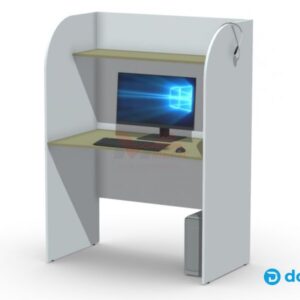
Ноутбук
Ноутбук для кабинета мультимедиа — решение для учебных занятий и презентаций в сочетании с интерактивной партой. Подходит для демонстрации учебного контента, работы…
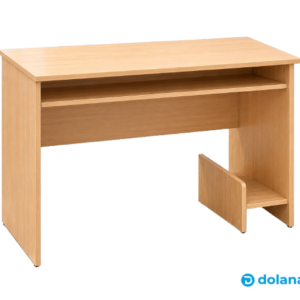
Стол компьютерный
Компактный компьютерный стол 800×600×750 мм из ЛДСП — практичное решение для дома, учёбы и небольшого офиса. Стандартная высота 750 мм, удобная рабочая…
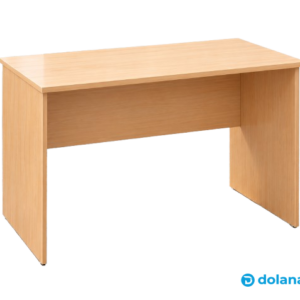
Стол письменный
Письменный стол 1240×600×750 мм из ЛДСП. Компактный и практичный рабочий стол для дома, учёбы и офиса. Доступен в нескольких материалах и цветах;…

Стул полумягкий
Полумягкий стул. Точные габариты: Ш 530 × Г 600 × В 810 мм; высота сиденья 470 мм, ширина сиденья 470 мм, глубина…
Frequently asked questions
Which Philips monitor configuration is best for general office work?
Do the Philips monitors support external mounting?
Is there a model with USB‑C for a single-cable laptop connection?
Are built-in speakers good enough for presentations?
What does Mega Infinity DCR mean?
Which monitor should I choose for light gaming?
Быстрый фильтр — какую модель Philips выбрать
Офис и учёба: выбирайте IPS FHD с sRGB и встроенными динамиками (2×2W) — хватит для презентаций и повседневных задач. Для многозадачной работы и детальной работы с документами/графикой выбирайте 4K UHD (3840×2160) с HDR10. Если важна плавность движения — модель с 120Hz и 4 ms обеспечит меньше размытий при динамичном контенте. Если нужен один кабель для ноутбука — ищите модель с USB‑C и DisplayPort; заранее уточните поддержку power delivery и её мощность у менеджера. Обязательно сверяйте VESA 100×100, количество HDMI/DP и наличие VGA для совместимости со старым оборудованием.