
Why CPU cooling matters
Proper CPU cooling preserves performance, prevents thermal throttling and extends component life. Choosing the right cooler depends on your CPU, case space and noise/performance priorities. This guide explains the main types of CPU coolers, which specs matter, and shows product examples from leading lines (Asus, Lian Li, MSI, Ocypus) so you can make an informed choice.
Types of CPU cooling
1. Air coolers (tower and low-profile)
Air coolers use a heatsink and one or more fans. They are typically simpler to install, require no pump and are reliable long-term. Air solutions vary by size and cooling capacity; some purpose-built fans specify TDP and socket compatibility.
Example models from the catalog: MSI MAG CORE FROZR AA13 — an air CPU fan listing includes TDP 240W, ARGB, compatible sockets LGA1700/1851/AM4/AM5, and published fan speed 510–2070 RPM ±200 RPM, 62.6 CFM and 30.11 dBA (white/black versions).
2. AIO (All-in-One) liquid coolers
AIO coolers integrate a pump, radiator and fans in a closed loop. They are popular for high-end builds and compact layouts where radiator mounting is possible. Radiator sizes commonly offered are 240mm and 360mm; larger radiators generally move more heat but require compatible case mounts.
Example models: Asus ROG RYUO IV 360 ARGB (3x120mm, AMOLED display available in white/black), Asus ROG STRIX LC III 360 (3×120mm PWM fans), MSI MAG CORELIQUID and MPG/Coreliquid ranges (360 and 240mm variants), and Ocypus Iota/Sigma AIO models (L24, L36) listed in the catalog.
3. Custom water-cooling (custom loop)
Custom loops give maximum flexibility and expansion (CPU + GPU + VRM) but require planning: separate pump, reservoir, tubing and radiators are chosen and assembled. The Lian Li HydroShift series includes “fan-less” or fan-optional variants described in the catalog, offering modularity for advanced builds (note: some HydroShift models are shipped without fans to allow custom selection).
Key specifications to compare
- Socket compatibility: Check supported sockets such as LGA1700, LGA1851, LGA1200, 115x family and AMD AM5/AM4. Many models in the list explicitly state multi-socket support.
- Radiator size and fan count: AIOs are usually sold as 240 (2×120mm) or 360 (3×120mm) kits. Example: Asus ROG STRIX LC III 360 uses 3×120mm fans; Lian Li GA II Trinity 360 is a 3×120mm ARGB unit.
- Fan connector and control: 3‑pin vs 4‑pin (PWM) affects speed control. Catalog entries note either 3‑pin or 4‑pin connectors for certain models.
- Fan speed, airflow and noise: When listed, use the manufacturer numbers. For example, MSI MAG CORE FROZR AA13 lists 510–2070 RPM (±200 RPM), 62.6 CFM and 30.11 dBA.
- TDP rating (when provided): Some air and AIO models include a TDP value (for example, some Ocypus fans/coolers list TDPs such as 75W, 200–300W). Use the listed TDP to match cooling capacity to your CPU workload.
- Additional features: Displays (AMOLED/LCD), ARGB lighting, bundled cables and mounting options. Examples: Asus ROG RYUO IV 360 ARGB features an AMOLED display; several Lian Li HydroShift and GALAHAD models include LCD options or offer fan-less delivery for custom fan selection.
Compatibility and installation checklist
- Measure case clearance for radiator placement (top/front) and verify space for 240/360 radiators.
- Confirm motherboard mounting holes and chipset compatibility (LGA/AM sockets listed by the manufacturer).
- Check fan headers and hub requirements — some AIOs or ARGB systems require controllers or specific headers.
- If a model is shipped without fans (for example, some Lian Li HydroShift “FAN LESS” SKUs), plan which fans you will install and ensure they fit the radiator and case.
- For custom loops, prepare extra time and components (pump, reservoir, fittings, radiators) and follow best practices for leak testing and routing.
Choosing by use case
Everyday office / light workloads
Stock coolers or compact air coolers are usually sufficient. Favor quiet operation and a compact footprint.
Gaming and content creation
For sustained high loads, consider 240mm–360mm AIOs or high-capacity air coolers. Examples from the catalog include Asus ROG STRIX LC III 360, Lian Li GALAHAD II LITE 360, MSI MPG/MAG Coreliquid 360 and Ocypus Iota/Sigma 360 variants.
Small form-factor builds
Choose low-profile air coolers or AIOs that match radiator mounting points. Pay attention to pump height and clearance for RAM and VRM heatsinks.
Comparative summary (quick reference)
| Type | Pros | Cons | When to choose |
|---|---|---|---|
| Air cooler | Simple, reliable, often lower cost | Can be large and heavy; limited aesthetics | Budget builds, everyday use |
| AIO liquid cooler | Compact radiator mounting, cleaner look, strong cooling with 360mm | Requires pump; radiator space needed; slightly more maintenance awareness | Gaming, overclocking, aesthetic builds (ARGB/LCD) |
| Custom loop | Best possible cooling and expandability | Complex, expensive, time-consuming | Enthusiast builds, multi-component cooling |
Model notes and examples from the catalog
- Asus ROG RYUO IV 360 ARGB — 3×120mm AIO with AMOLED display (available in white and black) for builders who want an integrated display and ARGB lighting.
- Lian Li GALAHAD II LITE and HydroShift lines — multiple 240/360 AIO options; some HydroShift SKUs are supplied without fans to allow custom fan choice for unique builds.
- MSI MAG CORELIQUID and MAG CORE FROZR AA13 — the MAG CORE FROZR AA13 air fan lists clear specs (TDP 240W, 510–2070 RPM ±200, 62.6 CFM, 30.11 dBA) useful for matching to specific CPU cooling needs.
- Ocypus series (Delta, Iota, Gamma, Sigma) — a range of air and AIO products with TDP ratings and multi-socket compatibility noted in the catalog entries (examples include Delta A40 TDP 220W and Iota L36 3×120mm AIO).
Maintenance tips
- Air coolers: periodically clean dust from fins and fans with compressed air.
- AIOs: monitor pump noise and temperatures; ensure radiator fins are clean. Some AIOs include RGB/monitoring software for pump/fan control.
- Custom loops: perform leak tests and periodic coolant replacement per component manufacturer guidelines.
Product banners (internal links)
Need related hardware or workspace setup? See other items on our site:
Next steps — quick checklist before purchase
- Confirm your CPU socket and TDP expectations.
- Measure case radiator clearance and fan mounting points.
- Decide on noise vs cooling trade-offs; consult listed fan RPM/CFM/noise where available.
- Choose features you value (ARGB, LCD/AMOLED, bundled fans or fan-less for custom selection).
- When in doubt, consult product specifications on the manufacturer page or contact the supplier for fitment questions.
Related articles and guides
For more on installation, fan tuning and optimizing airflow, check our other guides or contact the technical team for compatibility assistance.
Related products
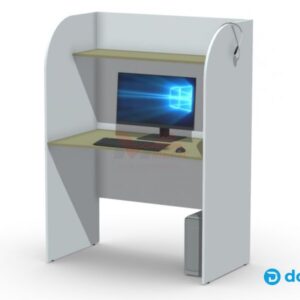
Ноутбук
Ноутбук для кабинета мультимедиа — решение для учебных занятий и презентаций в сочетании с интерактивной партой. Подходит для демонстрации учебного контента, работы…
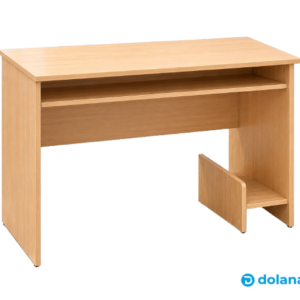
Стол компьютерный
Компактный компьютерный стол 800×600×750 мм из ЛДСП — практичное решение для дома, учёбы и небольшого офиса. Стандартная высота 750 мм, удобная рабочая…
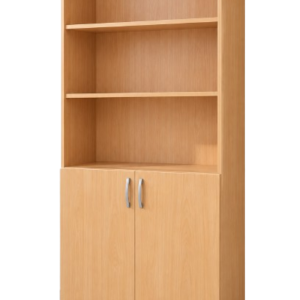
Шкаф для учебно-наглядных пособий
Белый шкаф для учебно-наглядных пособий из ЛДСП с выбором кромки ПВХ (белая, жёлтая, зелёная, синяя) и безопасной ручкой 128 мм. Подходит для…
Frequently asked questions
What is the difference between an air cooler and an AIO?
How do I know if a cooler fits my motherboard/case?
Are ARGB and LCD displays important for cooling performance?
Can I use my own fans with an AIO?
Быстрый подбор кулера по TDP и сценарию использования
Если не хотите вникать в детали, воспользуйтесь простым подбором: • До ~65 Вт (офис, браузер, офисные задачи) — компактный воздушный или штатный кулер; при выборе ориентируйтесь на низкий уровень шума. • 65–125 Вт (игры, многозадачность) — башенный воздушный кулер среднего размера или AIO 240 мм. Примеры в каталоге: MSI MAG CORE FROZR AA13 (воздушный) или AIO‑варианты Lian Li / MSI 240 мм. • 125–200+ Вт (стриминг, рендер, разгон) — AIO 360 мм или высокопроизводительный башенный кулер; примеры: Asus ROG STRIX LC III 360, ROG RYUO IV 360. Перед покупкой: измерьте высоту от платы до боковой панели, проверьте заявленную совместимость сокетов (LGA1700/1851, AM5/AM4) и наличие нужных 3/4‑pin разъёмов для вентилятора и помпы. Если AIO поставляется без вентиляторов (некоторые Lian Li HydroShift SKU), заранее выберите совместимые 120 мм вентиляторы по толщине и разъёму.